How to Reset Your Password and Log In to Pidro
We know login problems can be frustrating. Follow these steps slowly, one at a time.
1. Open the password reset
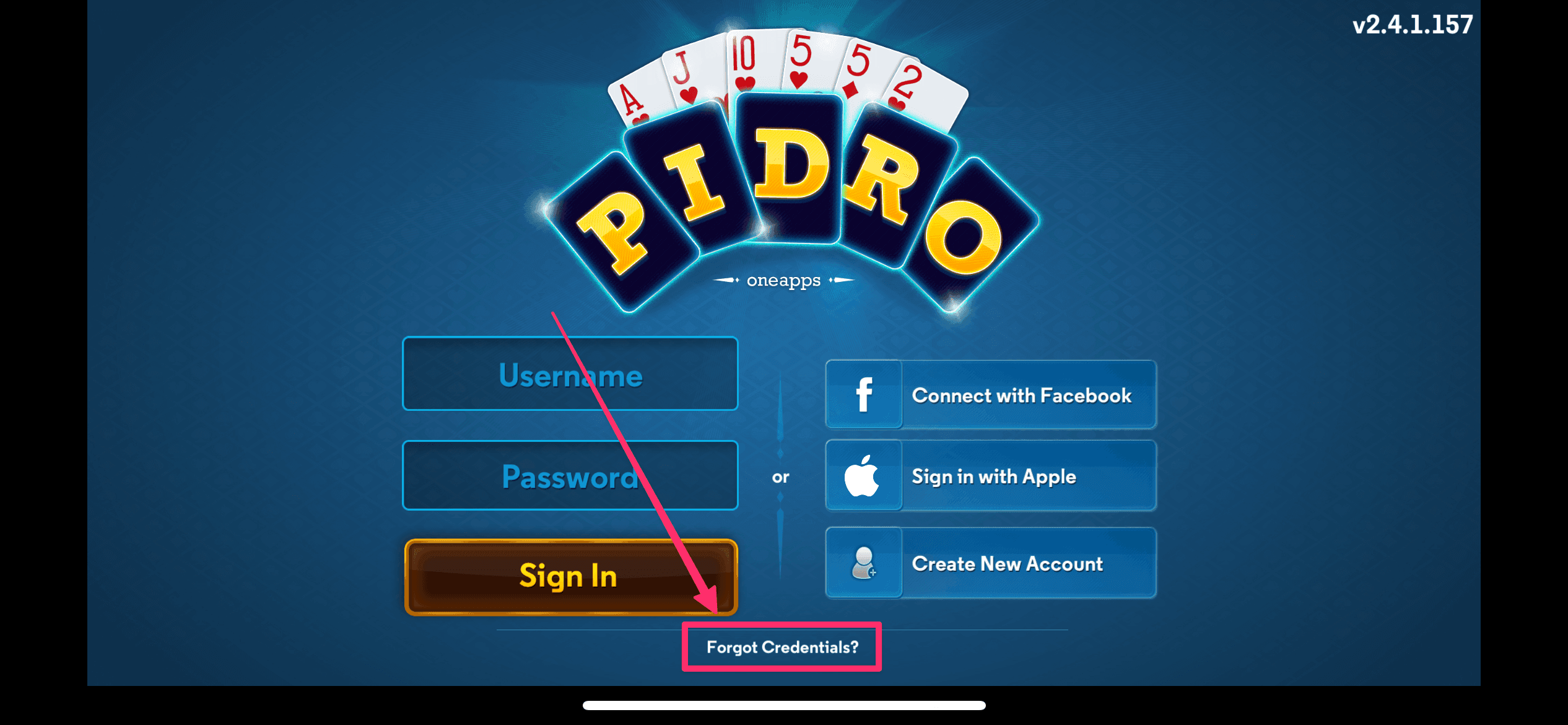
On the login screen, tap “Forgot Credentials”.
2. Enter your email
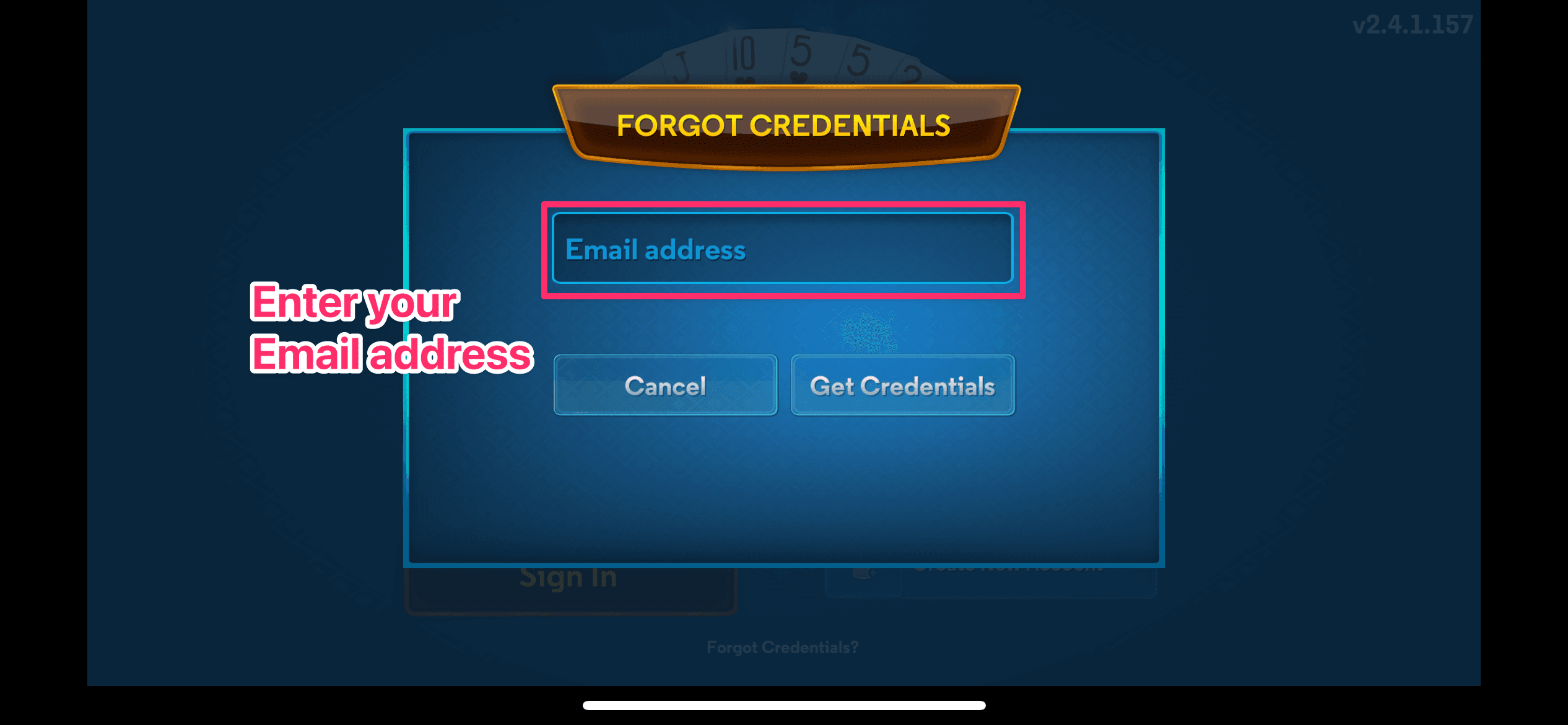
Use the email address you signed up with.
Check for typos, then send the reset email.
3. Check your email
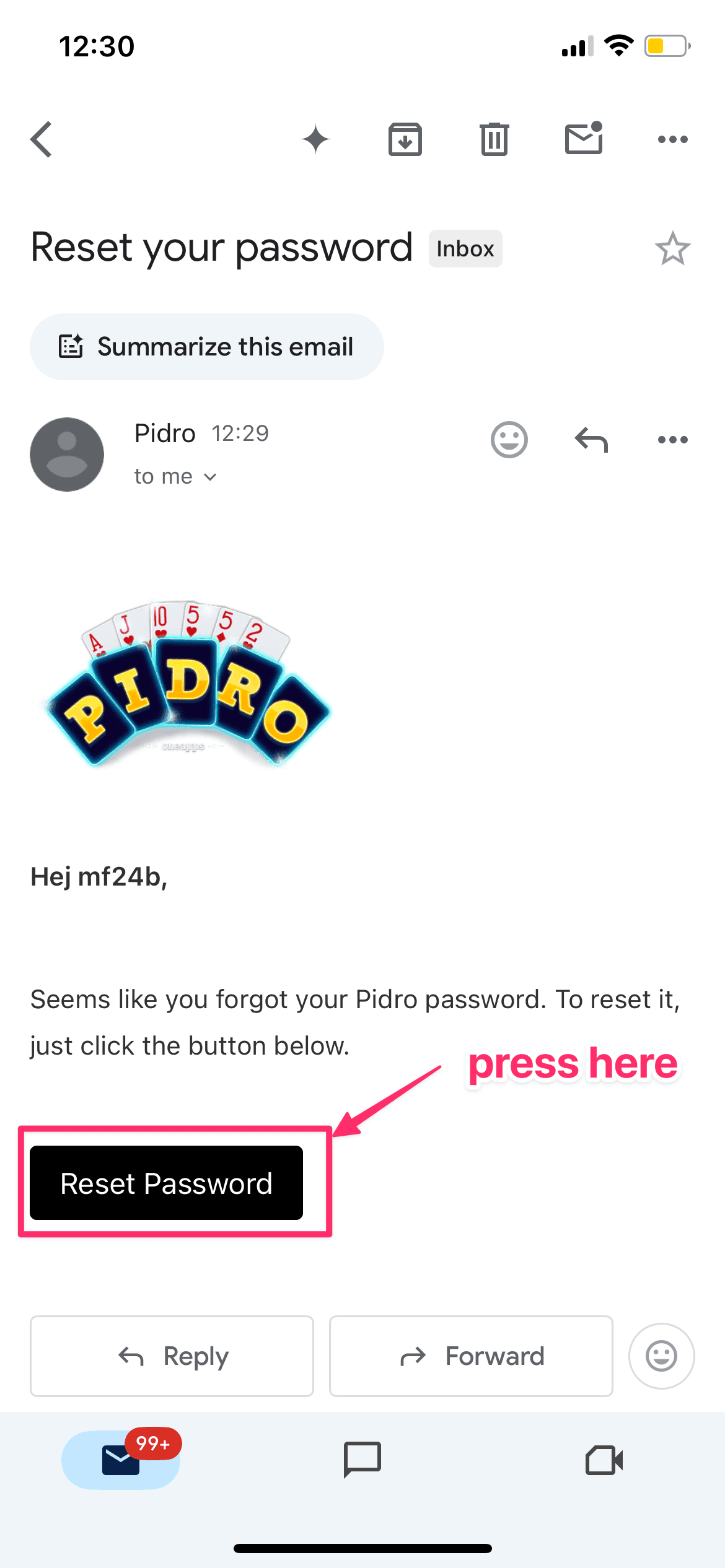
Look for an email from Pidro.
If you don’t see it, check your spam folder.
Tap the link in the email.
4. Choose a new password (important)
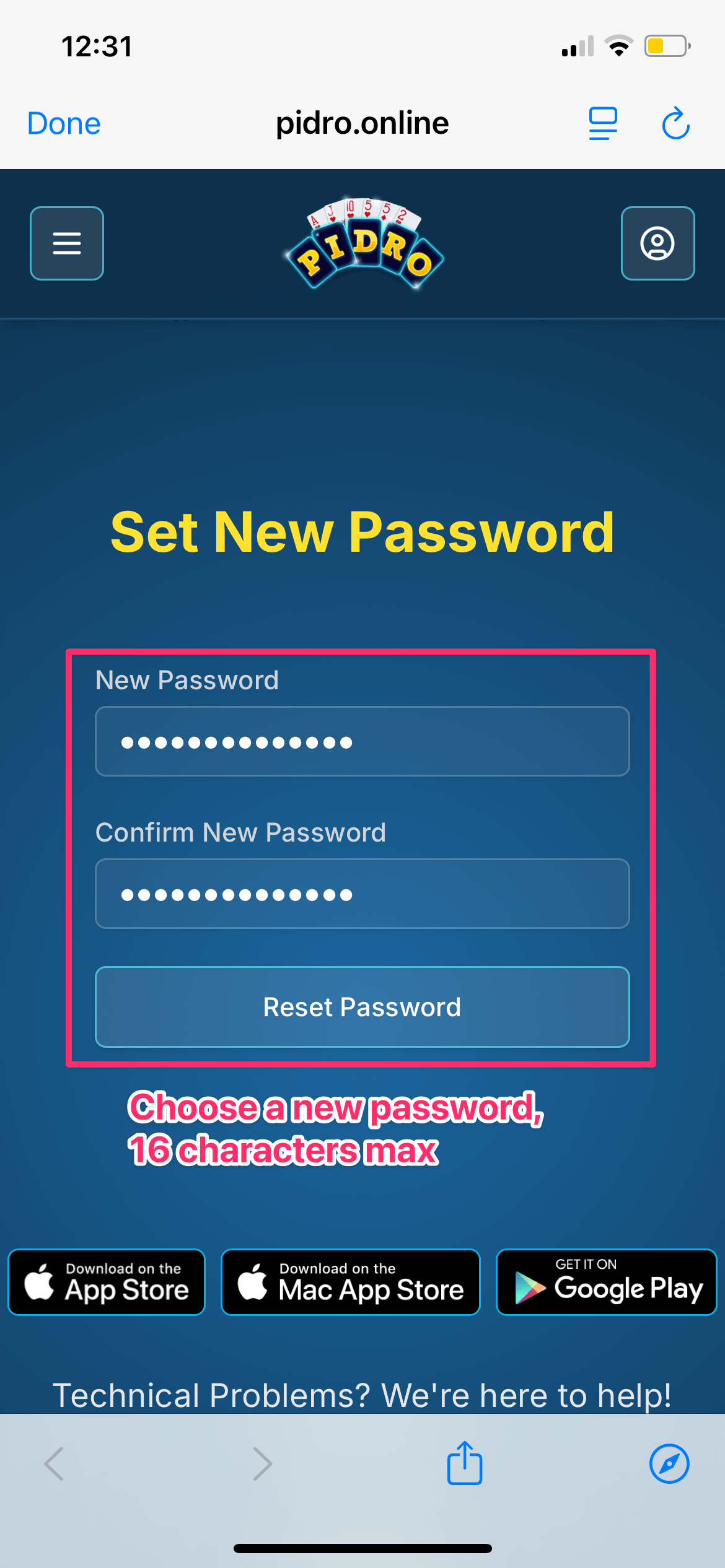
Pidro passwords must be 16 characters or less.
Some browsers (Safari, Chrome) suggest very long passwords automatically. These can cause login problems in the Pidro app.
We recommend:
Choose a password you can remember
6–16 characters
Letters and numbers are fine
Examples:
Fluffy2024Sunshine147PidroFun99
If you use a browser-suggested password:
Make sure it’s no longer than 16 characters
Write it down before saving it
5. Log in
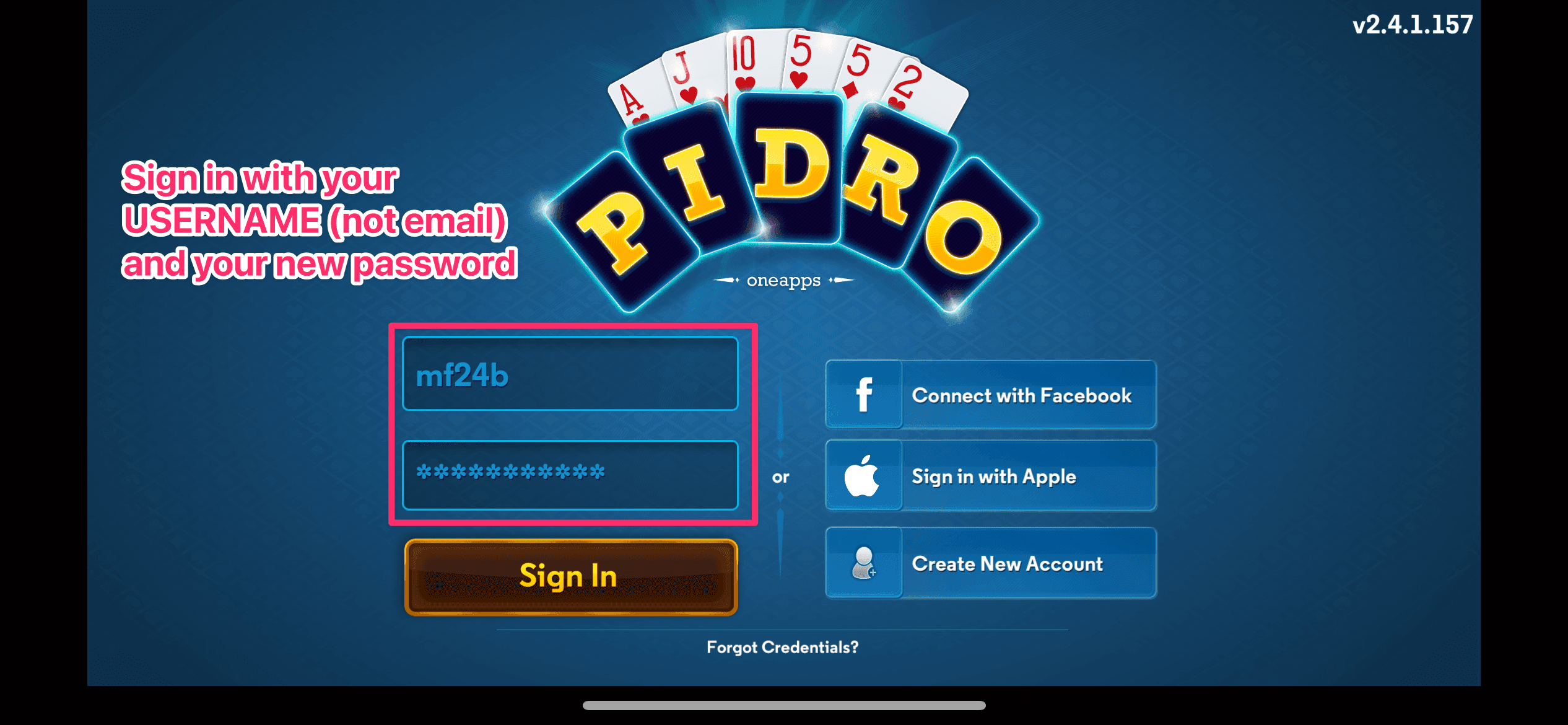
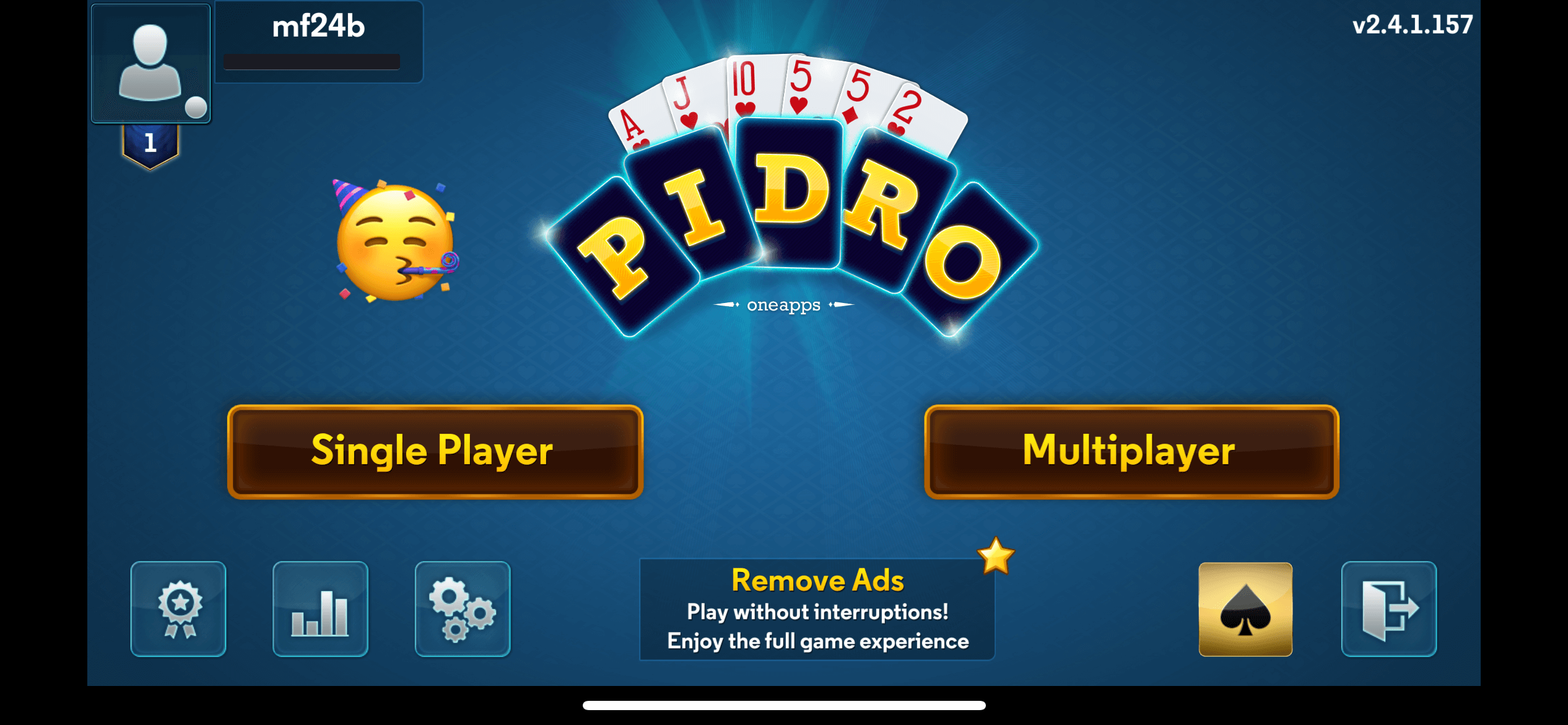
Go back to the app and log in with your username and new password.
Common mistakes to watch for
The top field is your username, not your email
Capital letters matter (
Sunshine147≠sunshine147)Passwords longer than 16 characters won’t work
Writing your password down is OK
Still stuck?
Email us at support@pidro.online and tell us:
Your username
What device you’re using
What happens when you try to log in
We’ll help you get back to playing.
Happy playing
— The Pidro Team